Graph Composition
The InstanceGraph is composed from assembly structures and the sub-assembly structures of the individual CAD parts they reference. This section illustrates how these layers combine into a single tree.
Example: Keyboard Key Assembly
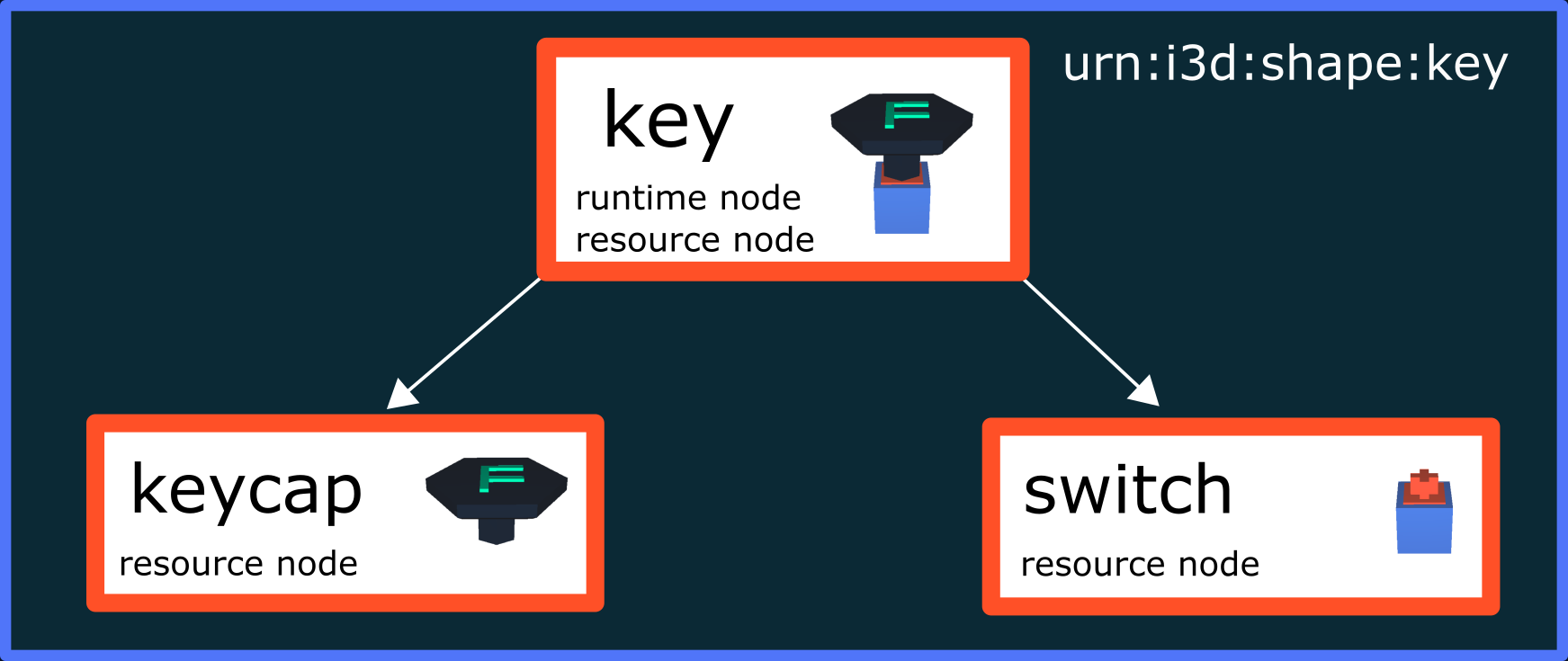
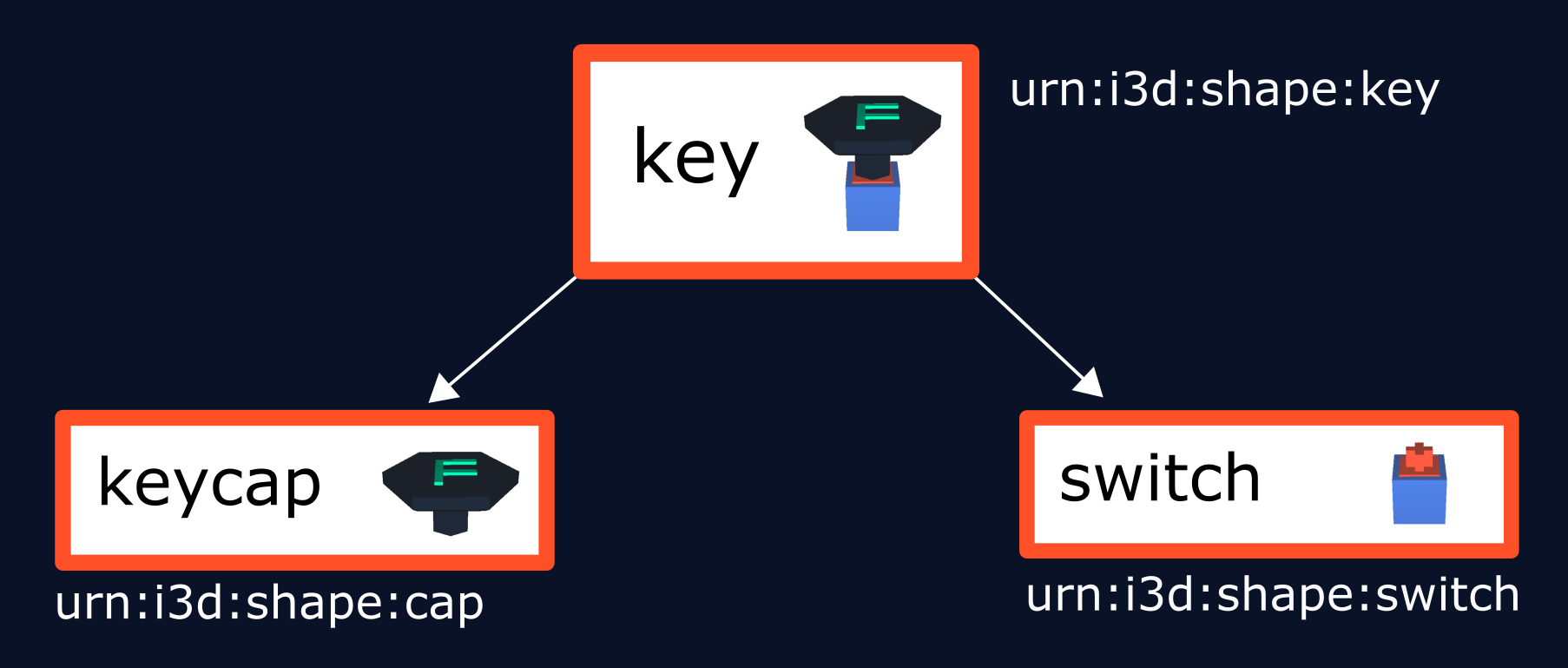
Consider three CAD resources forming a keyboard key. The resource urn:x-i3d:shape:key is an assembly that references two parts containing actual geometry:
assembly structure |
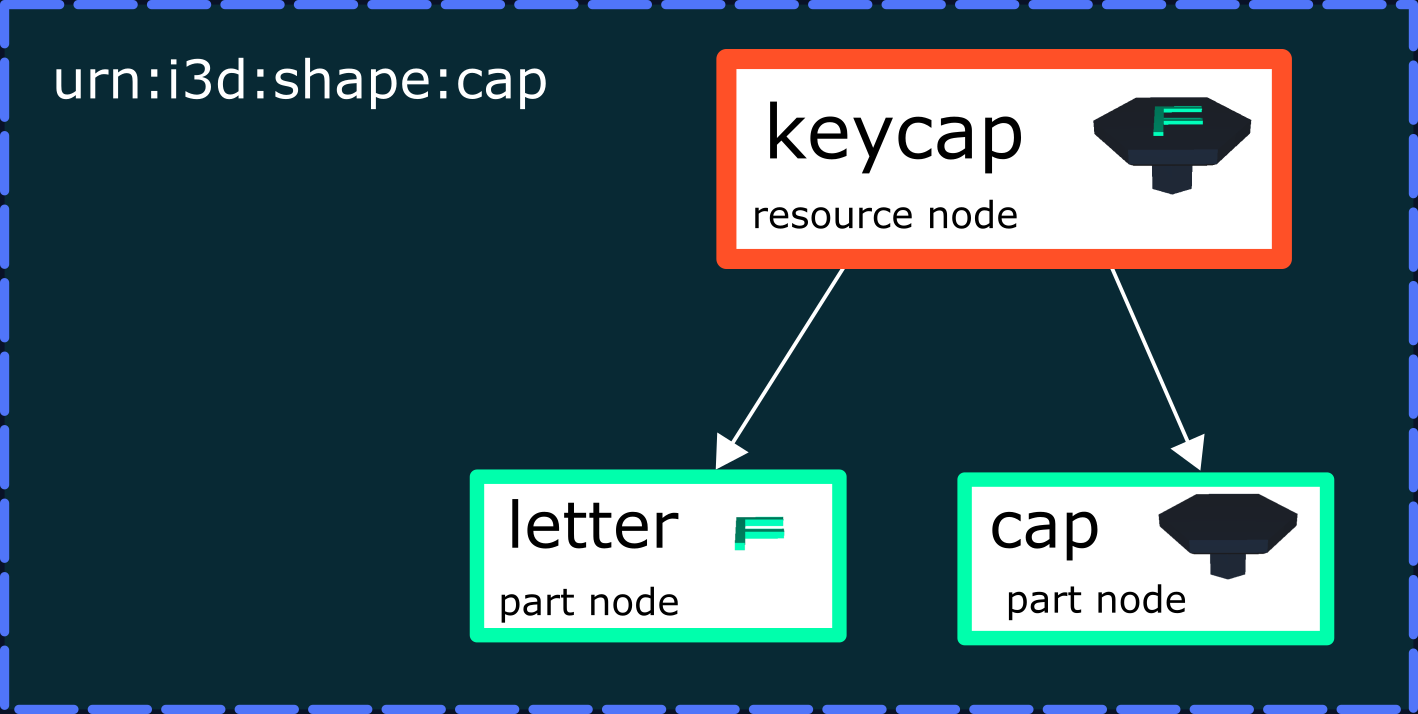
part structure |
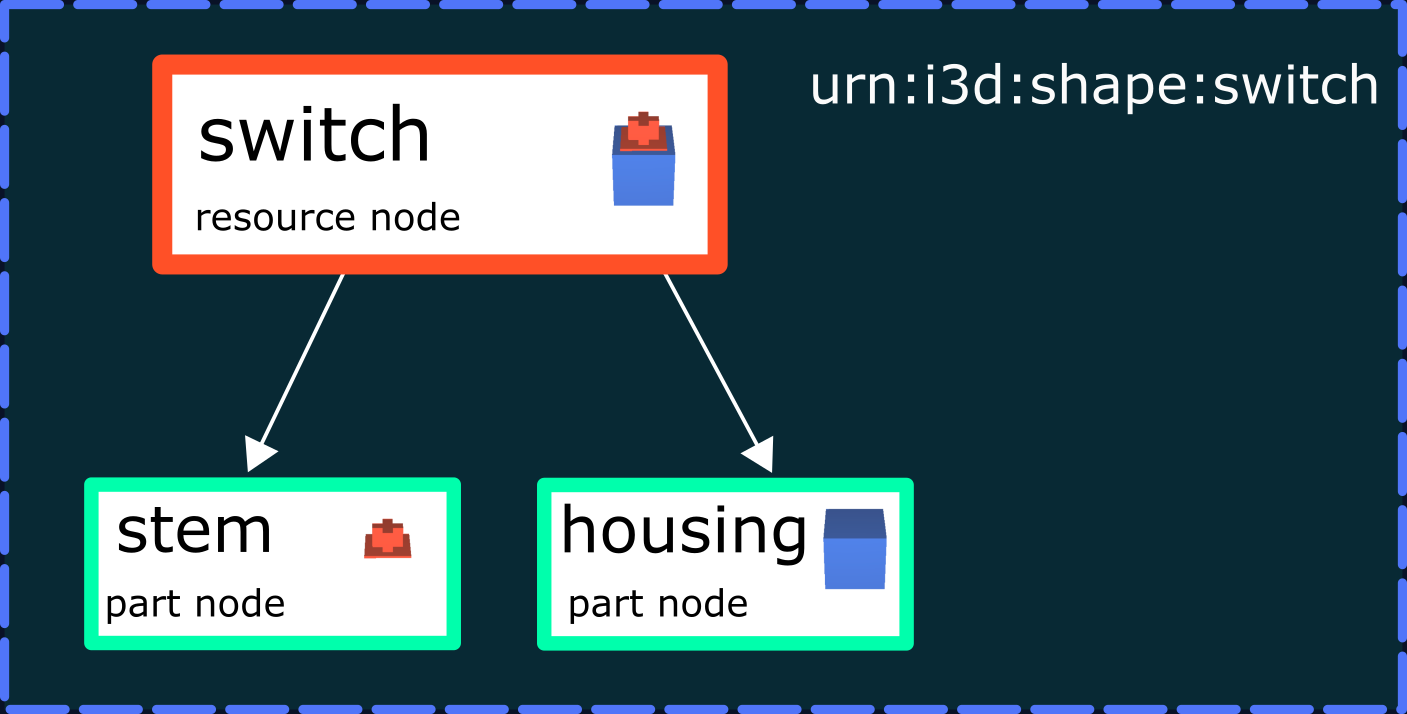
part structure |
|---|---|---|
|
|
|
These resources form the following structure:
Scene Graph Aspect
All nodes are presented in a tree structure. Operations are applied along paths in the graph — e.g. if a node is disabled, all nodes below it are also disabled.
CAD Aspect
Constructions consist of multiple parts, where each part usually corresponds to a single CAD resource. These parts are assembled by references in an assembly structure, defined through structure files (e.g. PLMXML, STEP242, X3D).
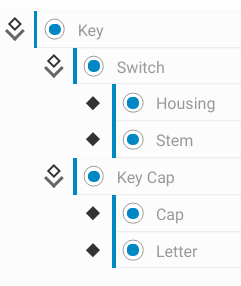
In the example above, urn:x-i3d:shape:key defines an assembly structure linking the two other resources. Larger parts may have their own sub-assembly structure (e.g. the keycap is subdivided into letter and cap). The sub-assembly structure is inserted into the assembly structure, resulting in the full InstanceGraph:
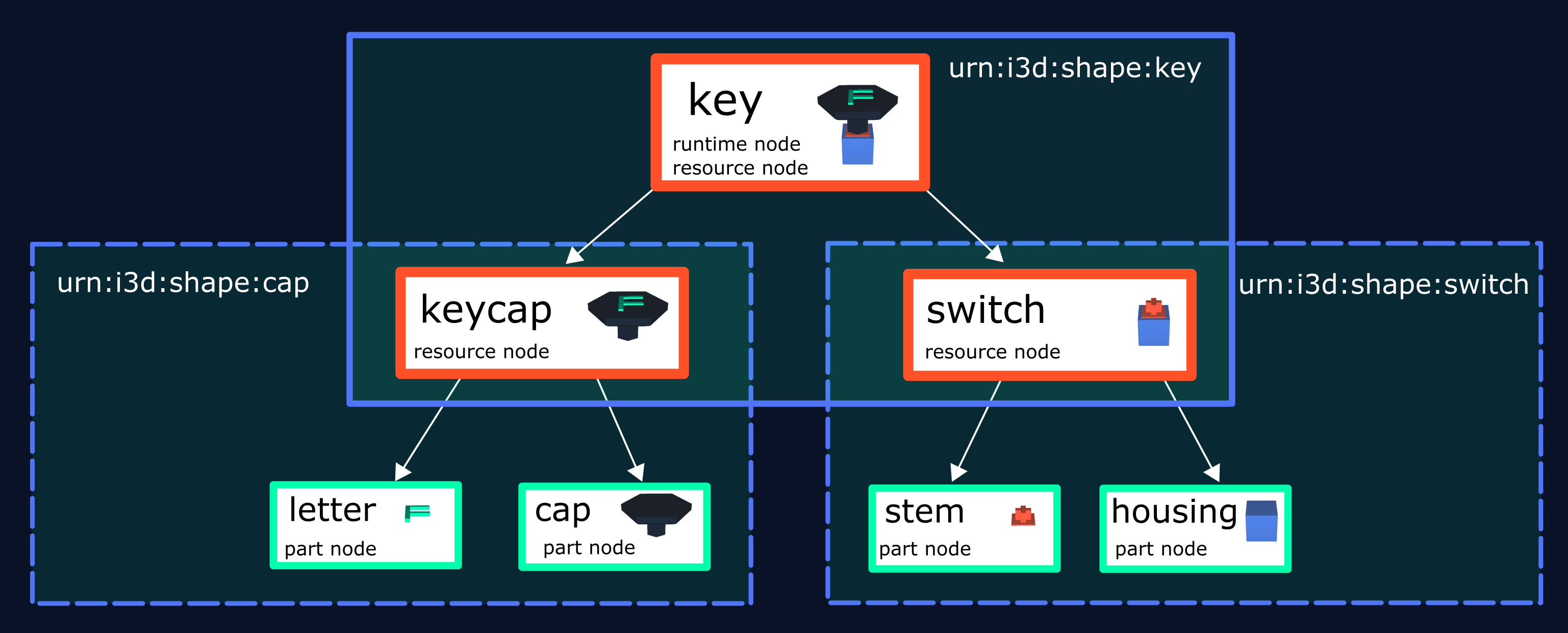
Resulting InstanceGraph
The InstanceGraph is the composition of all assembly structures and sub-assembly structures of the corresponding linked CAD parts. Nodes like keycap and switch function as transitions to 3D resources:
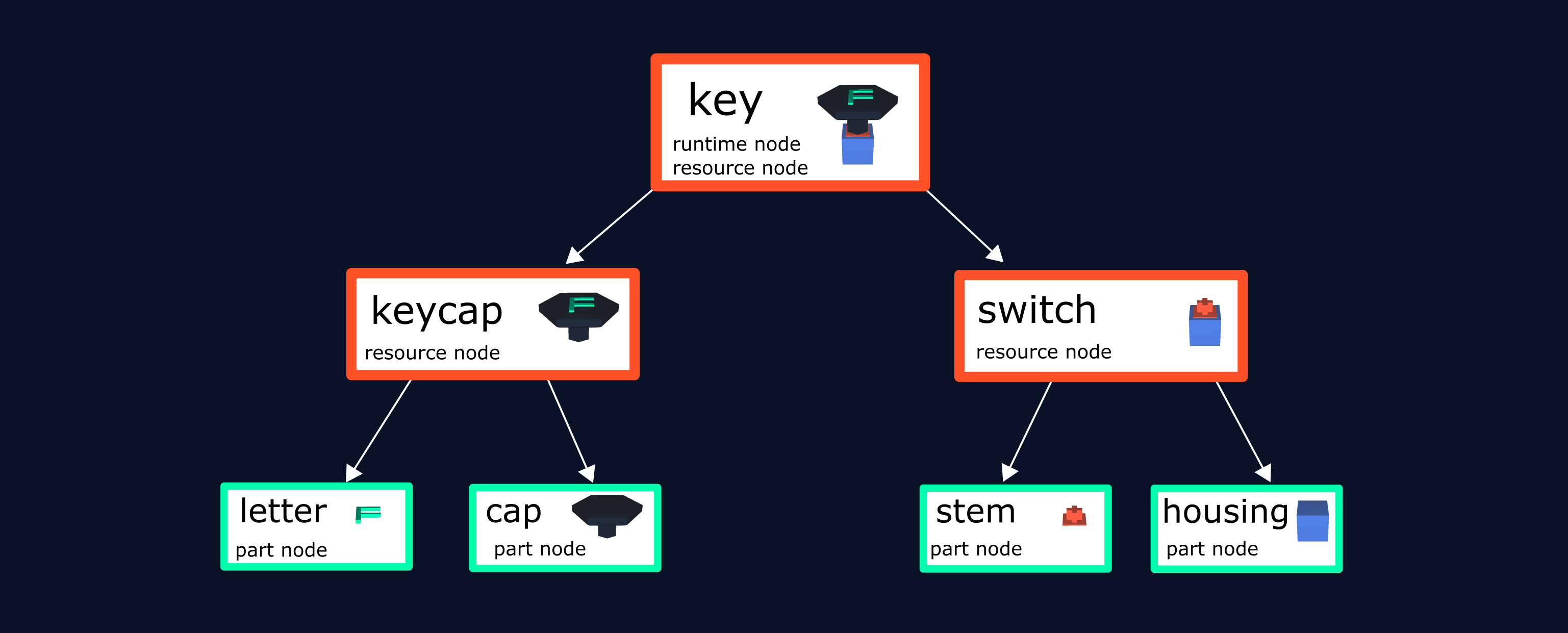
webvis creates a node for every part of this tree: